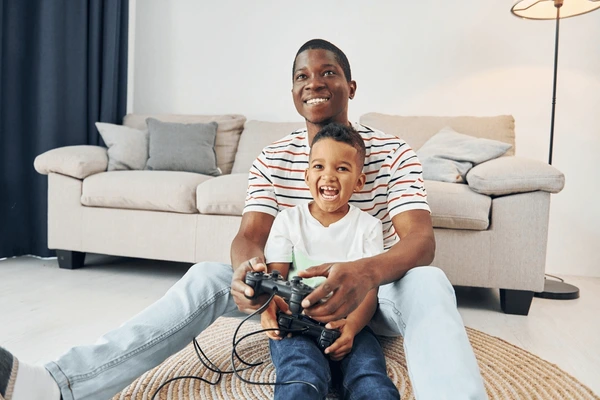

As a parent, you always have to find the right balance when it comes to certain things in a child’s life, especially when they’re young. Kids these days love gaming, and while you’re more than happy for them to partake in the odd video game, you don’t want to let them sit in front of a screen, spamming Fortnite for six hours a day.
Removing their ability to game is also pointless; it just leads to resentment.
So, in the hope of finding the right balance, here are some classic games your kids can play on the computer in their spare time. They’re not as hardcore as the video games of today, but they’re great for really young kids who want to have a bit of fun while growing their tech literacy.
Solitaire
An absolute classic, yet also one of the best games for kids to play while they’re young. Solitaire comes in many forms, so find one and teach your child how to play it. Most Windows PCs still come with a free version for you to play, or you can find one online with relative ease. The joy of solitaire is that it’s one massive puzzle, which keeps your kids occupied for a long time. It also teaches them about number sequences and spotting patterns, which translates well into their school life.
Sudoku
Another number-based puzzle game, Sudoku is all about fitting the numbers 1 through 9 into each square, line, row, and section within a grid. It might be too complicated for extremely young kids, though you should also be able to find some child-friendly Sudoku online. If you’re trying to get your children to learn about numbers from a young age, this is easily the best game for them to play. It’s totally scalable, too. In other words, they can start playing when they’re young and gradually take on tougher Sudoku puzzles. It’s one of those games that stays with them throughout life and ensures they’re bored.
Backgammon
When it comes to games that blend fun, skill, and a little bit of luck, backgammon is right up there with the best. It’s child-friendly and relatively easy for anyone to learn, involving dice and two sets of different colored checkered. The goal is simple: remove all of your checkers from the board before your opponent. You’ll have to think on your feet to make the best moves for yourself while also trying to block the other player. Kids can play this in duos or play against the computer – you could even spend a bit of time teaching them how to play. Once they get the hang of it, it’s a simple game that brings about hours of enjoyment.
Chess
From a simple game to one that can be incredibly complex. Chess will always be a top game to recommend for kids because it combines everything to help with their early development. Kids who play chess from a young age will typically see better problem-solving, time management, and critical thinking skills. Other benefits of chess include its ability to teach children how to take turns or recover from setbacks – both of which are essential when they’re young and in pre-school or kindergarten. Thanks to the birth of online chess, your child can easily hop on a computer and start playing whenever they want. They can arrange games with friends, play against the computer, or pick random opponents. Most chess sites for kids don’t allow any chatting mechanism, so they’re completely safe.
Checkers
Before you set your child up with online chess, consider easing them into strategy board games with checkers. A much simplified version of chess, in the sense that it also involves removing your opponent’s pieces from the board. There are far fewer rules to learn for checkers, which is why it’s a better entry-level option for younger kids. Get them used to the idea of moving pieces around a board before they graduate to chess. Furthermore, this is one of those games you and the kids can play together for some great bonding time.
Uno
You can honestly let your children play all sorts of classic card games online, though Uno will always be the best. Why? Because it’s simple to understand and trains your child’s brain in numerous ways. They need to develop good pattern recognition to understand when they can play a card based on the number or color the previous player put down. They also develop patience waiting for their turn, as well as memory skills by remembering to call Uno when they have one card left. Proper licensed Uno is available to download and play on the computer, but you’ll also find some non-licensed free versions.
Minesweeper
Minesweeper is another one of those free Windows games from your youth that’s still playable today. It’s a puzzle game where your children have to click on boxes in a grid to avoid setting off mines. There’s so much logic to this; the game will reveal how close you are to a mine by providing numbers like 1 or 2. If you click on a square and it shows 1, this means a mine is one square away from that square in any direction. It’s a bit tricky to start with, but once your child understands how it works, it can be one of those time-consuming games they always go back to.
Pairs
Finally, you can’t beat a classic game of pairs. The beauty of the internet means you’ll find all kinds of themed pairs games for kids. Some involve the classic cards where they have to click on ones within a grid and then match them together. Others will include TV or movie characters to give them a little bit of extra fun. Pairs will always be the go-to memory game for young children because it’s one of the easiest and best ways to help them recall where things are.
Could your kids play all of these games away from a computer? Well, apart from Minesweeper, yes – but that’s not the point! The point is that you don’t want to keep your kids away from computers, as they need to develop tech skills in this day and age. These games are perfect for any child to play because they’re harmless, teach them valuable skills, and can be played for free.