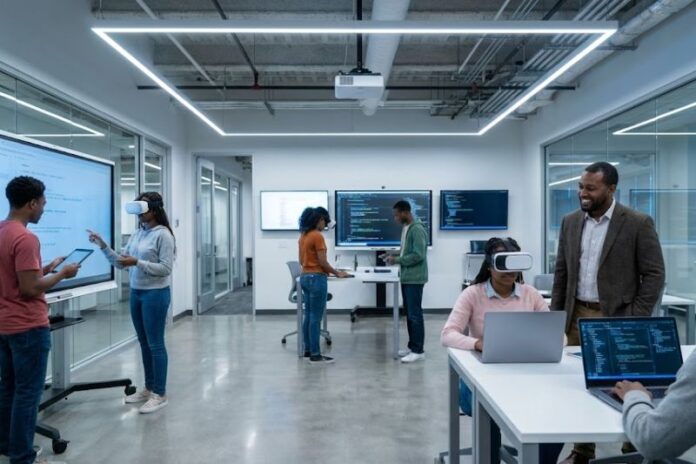

Educational environments continue to evolve as technology becomes a central part of learning. Students expect flexibility, digital access, and collaborative spaces that support both independent and group work. Traditional computer labs and outdated technology can limit creativity and reduce engagement. Academic institutions that modernise their tech spaces create stronger learning opportunities and better prepare students for technology-driven careers.
Updating these spaces requires thoughtful planning, a clear understanding of student needs, and the right mix of hardware, software, and layout design. The goal is to create an environment where technology enhances learning rather than complicating it.
Integrating Flexible Software Solutions and Accessible Tools
Modern learners require software that adapts to different devices, locations, and academic disciplines. Institutions often adopt cloud-based platforms and virtual software delivery systems that allow students to access essential programs from anywhere. Some campuses integrate specialised apps such as those at AppsAnywhere to provide a seamless experience that gives students access to academic tools without relying on a single lab computer. These solutions support a variety of learning styles and help eliminate barriers associated with traditional, device-dependent software.
Flexible access ensures that students can work on projects from labs, dorms, libraries, or off-campus locations. This adaptability supports hybrid learning models and encourages continuous engagement.
Designing Collaborative Layouts That Encourage Interaction
Physical layout has a major impact on how students use academic tech spaces. Instead of rows of computers facing one direction, many institutions create open areas with movable tables, shared screens, and modular seating. These flexible arrangements support teamwork, brainstorming sessions, and hands-on learning activities.
Collaborative layouts help instructors facilitate interactive lessons. Students can gather around digital displays, share their screens wirelessly, or break into smaller groups for focused tasks. This approach mirrors modern workplaces, where collaboration often involves technology-driven interaction.
Creating a welcoming, comfortable environment encourages students to spend more time exploring ideas and working together.
Upgrading Devices and Hardware To Support Modern Programs
As academic programs expand, they require more advanced hardware to support resource-intensive software. Engineering, design, media, and computer science programs often rely on powerful computers with updated graphics cards, faster processors, and larger memory capacities.
Replacing aging devices with newer models ensures smooth performance and reduces technical disruptions during class sessions. Reliable hardware minimises frustration and gives students the tools they need to complete demanding coursework.
Schools may invest in specialised equipment such as 3D printers, VR headsets, high-resolution scanners, or digital drawing tablets to support creative and technical programs. These additions expand hands-on learning opportunities.
Incorporating Strong Connectivity and Reliable Infrastructure
A modern academic tech space depends on fast and reliable internet. Slow connections disrupt video lectures, collaborative tools, and cloud-based applications. Ensuring that Wi-Fi networks can support high traffic volumes is important for large campuses.
Institutions upgrade routers, switches, and access points to maintain consistent performance. Adding more Ethernet ports or specialised networks for heavy-use lab environments improves reliability.
A strong infrastructure supports both synchronous and asynchronous learning, helping students stay connected across platforms.
Supporting Hybrid Instruction With Next-Generation Technology
Hybrid teaching models require classrooms equipped with video conferencing tools, interactive displays, and recording systems. Instructors benefit from technology that allows them to teach both in person and online simultaneously.
Features like high-quality microphones, wide-angle cameras, and smart boards help bridge the gap between remote and in-person learners. When integrated correctly, these tools improve accessibility and create more inclusive learning experiences.
Students who cannot attend in person stay engaged through recorded lessons or real-time participation.
Enhancing Accessibility for All Learners
Academic tech spaces must accommodate students with varying physical, cognitive, and sensory needs. Accessibility features include adjustable desks, screen-reading software, voice-recognition tools, and hardware designed for ease of use.
Clear pathways, adequate lighting, and ergonomic seating contribute to a supportive environment. Digital accessibility matters. Software interfaces should follow accessibility guidelines to ensure every student can participate fully.
Thoughtful accessibility planning helps create a more equitable academic environment.
Creating Zones for Focused, Independent Work
Not all learning is collaborative. Many students require quiet areas where they can concentrate on assignments, research, or studying. Creating dedicated zones with soundproof booths, comfortable seating, and minimal distractions supports deeper learning.
These zones may include individual workstations, charging ports, reliable lighting, and privacy dividers. When combined with collaborative areas, these spaces give students the flexibility to choose the environment that best fits their learning needs.
Training Faculty and Staff To Use New Technologies Confidently
Even the most advanced technology becomes ineffective without proper training. Faculty and staff benefit from ongoing workshops, technical support, and hands-on practice. Understanding how to operate new tools improves teaching quality and reduces classroom disruptions.
Training sessions encourage creativity, as instructors explore new methods for integrating technology into lessons. Staff support ensures labs remain functional and updated.
Image Source: https://www.pexels.com/photo/silhouette-of-man-247899/
Technology will continue evolving, and academic spaces must evolve with it. By integrating flexible software, collaborative layouts, advanced hardware, and strong infrastructure, institutions create environments that support current learners while preparing for future needs.
A well-designed tech space supports creativity, collaboration, and academic growth. With thoughtful planning and ongoing improvements, educational institutions empower students to thrive in a digital-first world.